
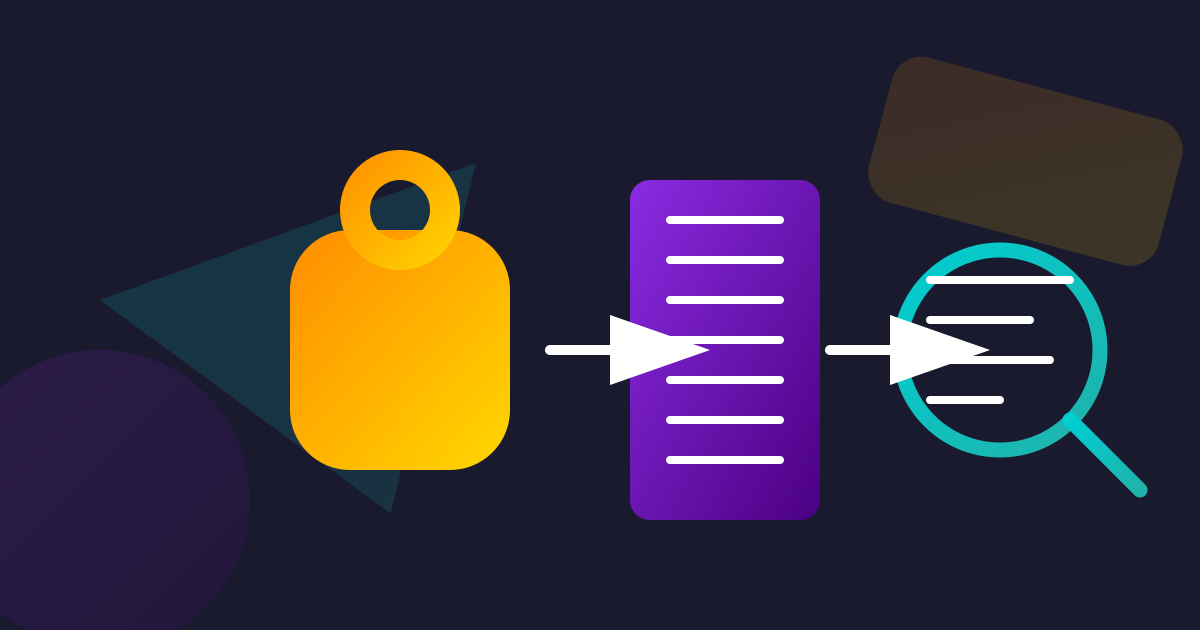
Securely Extract Text From PDF Receipts Offline
Published on March 16, 2026
The Digital Receipt Dilemma: Managing Your Financial Paper Trail
In an increasingly digital world, receipts have followed suit. From online purchases to emailed invoices, our financial paper trail is rapidly becoming a digital one, often landing in our inboxes or downloads folder as PDF files. While this offers convenience, it also introduces a new challenge: how do you efficiently manage, categorize, and extract crucial information from these digital receipts without spending hours on manual data entry or compromising your privacy?
Manually typing out details from dozens of receipts for expense reports, tax season, or personal budgeting is a tedious and error-prone task. You might need vendor names, dates, specific line items, or total amounts. This is where the power of text extraction comes into play. But when dealing with sensitive financial information, the “how” is just as important as the “what.”
The Hidden Risk: Why Online PDF Tools Can Be a Privacy Nightmare
Many users instinctively turn to free online PDF tools when they need to perform tasks like text extraction. These web-based services seem convenient: upload your file, click a button, and download the result. Simple, right? Not always.
The fundamental issue with most online PDF processors is that your files are uploaded to their servers. Think about that for a moment. Every receipt, every invoice, every financial record you submit for processing is temporarily stored on a third-party server, often located in another country, subject to their privacy policies (or lack thereof).
What are the risks of uploading your receipts?
- Data Leaks: Servers can be hacked, leading to your financial data falling into the wrong hands.
- Privacy Violations: The service provider might analyze your data for advertising, sell it to third parties, or use it in ways you never intended.
- Compliance Issues: For professionals, uploading client or company financial data to external servers can violate strict data protection regulations (like GDPR, HIPAA, CCPA) and internal company policies.
- Lack of Control: Once your data leaves your device, you lose control over who accesses it and how it’s handled. For more information, read about why offline PDF tools matter for privacy.
When it comes to something as sensitive as your financial transactions, these risks are simply not worth taking.
The Secure Solution: Offline, Client-Side PDF Processing
Imagine a powerful PDF tool that allows you to read, analyze, and extract text from your receipts without ever uploading a single byte of your data to the internet. This is the promise and power of offline, client-side PDF processing.
How does it work?
Instead of sending your PDF files to a remote server for processing, a client-side tool performs all operations directly on your own device – within your web browser or as a desktop application. This means:
- Your files never leave your computer.
- Processing happens locally, instantly.
- No internet connection is required after the initial download.
- You maintain 100% control and privacy over your sensitive financial data.
This paradigm shift is critical for anyone handling receipts, invoices, or any other confidential documents. It’s the only way to guarantee absolute privacy and security for your financial records.
How Offline Text Extraction (OCR) Works for Receipts
Many digital receipts are not “searchable” PDFs. This means the text you see on the screen is actually part of an image, not selectable text. This is common for scanned paper receipts or receipts generated as images. To extract text from these, you need Optical Character Recognition (OCR).
An offline OCR engine, integrated into a client-side PDF tool, works by:
- Analyzing the PDF: It examines each page of your receipt PDF.
- Identifying Text Areas: It uses advanced algorithms to detect patterns that look like characters and words.
- Converting Images to Text: It then “reads” these image-based characters and converts them into actual, selectable, and editable text.
- Outputting Extracted Data: The tool presents this extracted text, often allowing you to copy it, save it to a plain text file, or even export it to structured formats like CSV or JSON.
All of this happens within the confines of your device, ensuring your sensitive receipt data remains private.
Step-by-Step: Extracting Text from Your PDF Receipts Offline
Using a secure, client-side PDF tool for text extraction is surprisingly straightforward. While specific interfaces may vary, the general process looks something like this:
1. Access Your Offline PDF Tool
Open your preferred client-side PDF processing application or navigate to the web page of a reputable in-browser tool (like DumPDF, which loads entirely offline after the initial page load). Ensure you’re using a tool known for its client-side processing capabilities.
2. Open or Load Your Receipt PDF
Locate the PDF receipt on your computer. Most tools offer a “Browse,” “Open File,” or drag-and-drop interface. Select your receipt file. Remember, at no point is this file being uploaded to a server.
3. Initiate Text Extraction (Often OCR)
Look for an option like “Extract Text,” “OCR,” “Convert to Text,” or “Make Searchable.” If your receipt is an image-based PDF, you’ll need the OCR function. The tool will then process the document locally.
4. Review and Refine (If Necessary)
Depending on the quality of the original receipt and the OCR engine, you might get a perfect extraction or one that needs minor adjustments. Many tools will display the extracted text, allowing you to copy specific sections or the entire content.
5. Save or Copy Your Extracted Data
Once satisfied, you can usually copy the text to your clipboard, save it as a
.txt file, or export it to a more structured format if the tool offers it.
You’ve now successfully extracted valuable data from your receipt, all while
keeping it 100% private.
Unbeatable Benefits of Offline Receipt Management
Adopting an offline approach to managing your PDF receipts offers a multitude of advantages beyond just enhanced security:
1. Unrivaled Privacy and Security
By keeping all processing on your device, you eliminate the risk of data breaches, unauthorized access, or misuse by third-party services. Your financial details, purchase history, and personal spending habits remain yours alone. This is particularly crucial for businesses handling sensitive client expense data.
2. No Internet Connection Required (After Initial Load)
Once the client-side tool is loaded in your browser or installed on your desktop, you can process receipts even if you’re completely offline. This is invaluable for professionals on the go, those in areas with unreliable internet, or anyone who simply doesn’t want to be tethered to an online connection for document tasks.
3. Enhanced Data Accuracy and Organization
By extracting text, you can easily copy and paste information into spreadsheets, accounting software, or personal finance trackers. This drastically reduces manual entry errors and makes organizing your financial records more efficient and reliable.
Beyond Extraction: Other Offline PDF Powers for Receipts
The utility of client-side PDF tools extends far beyond simple text extraction. For receipt management, these additional capabilities are incredibly useful:
- Merging Receipts: You can comfortably securely merge PDFs offline into a single file for month-end tax submissions.
- Splitting Receipts: Have twenty invoices in one large ledger? You can securely split PDFs without uploading them to generate single file receipts.
- Compressing Receipts: Reduce the file size of large receipt PDFs without leaking client data to third-party optimization networks securely.
All these functions, performed offline, ensure your entire receipt management workflow remains secure and private.
Summary
Managing digital receipts doesn’t have to be a trade-off between convenience and security. By choosing client-side, offline PDF processing tools, you empower yourself with the ability to efficiently extract valuable text from your receipts while ensuring 100% privacy and zero risk of data leaks.
Say goodbye to manual data entry headaches and the nagging worry of your financial information floating on someone else’s server. Embrace the peace of mind that comes with knowing your receipts, your data, and your privacy are always protected.
Frequently Asked Questions (FAQs)
How do I extract text from a scanned receipt offline?
Using a client-side offline PDF platform with built-in OCR (Optical Character Recognition) allows your browser or desktop application to locally convert image pixels into text. Nothing needs to be sent to a faraway unverified cloud service.
Are offline PDF OCR tools accurate for receipts?
Modern client-side OCR libraries utilizing WebAssembly or embedded local Tesseract engines offer accuracy nearly identical to massive cloud clusters. Highly damaged or faded receipts might contain errors, but the baseline extraction is superb and entirely private.
Can I run PDF data extraction without the internet?
Absolutely. After an initial page load of a web-based client-side PDF processor (or installing a desktop version), you can turn your Wi-Fi off and extract text from hundreds of invoices natively through your local CPU.
Help Keep DumPDF 100% Free & Private
Zero server uploads • No accounts • No trackers