Why Online PDF Splitters Pose a Massive Security Risk
Published on June 14, 2026
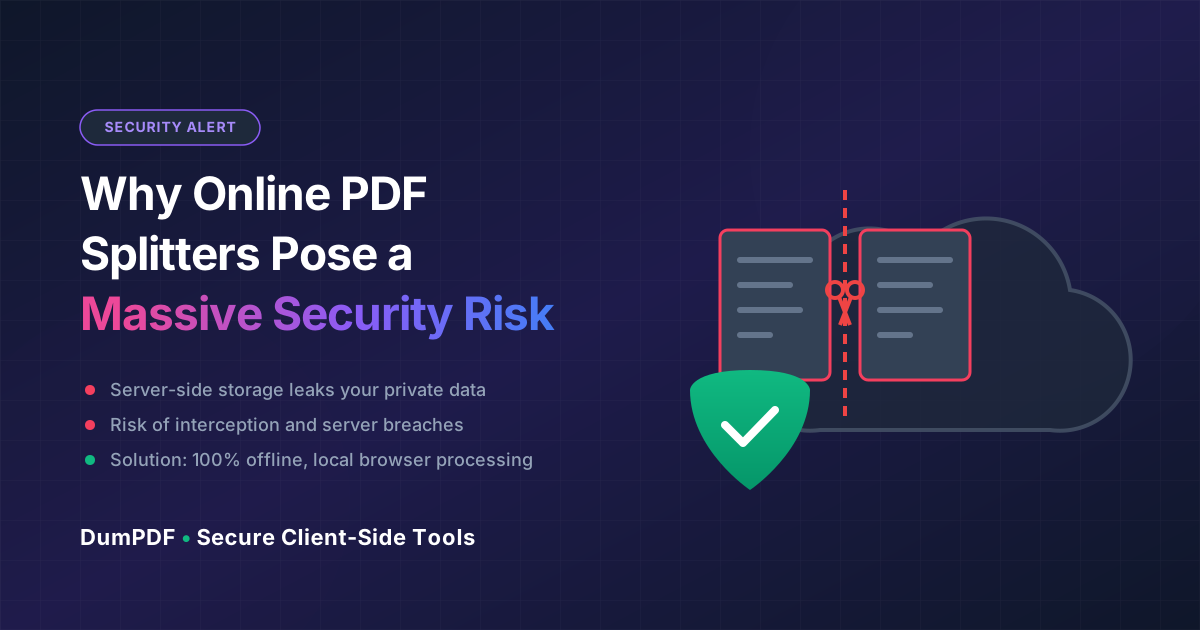
Quick Answer: Uploading confidential PDFs to traditional online splitters exposes your sensitive data to server storage risks, potential data breaches, and compliance violations. To ensure 100% privacy, use client-side tools like DumPDF that process your files entirely within your web browser without ever uploading them to a remote server.
In today’s fast-paced digital landscape, efficiency often trumps caution. When faced with a massive PDF document and a looming deadline, the easiest solution is to search for a quick online tool to extract the pages you need. With a simple drag-and-drop, your file is processed in seconds.
However, this convenience comes with a hidden, often devastating cost.
When you upload a document to a traditional online PDF utility, you are relinquishing control of your data. For everyday users and professionals handling proprietary business data, legal documents, financial records, or medical histories, this practice is a ticking security time bomb.
Here are the top five reasons you should never upload confidential PDFs to traditional online splitters, and how a revolutionary alternative can keep your data 100% secure.
1. The “Black Box” of Server-Side Storage and Retention Policies
When you use a standard online utility to split PDF files, your document is uploaded to a remote server. Once that file leaves your local machine, it enters a “black box.”
While many free online PDF tools claim to delete your files within an hour or twenty-four hours, verifying these claims is virtually impossible for the average user.
- Data Retention: Some platforms retain cached copies of files for troubleshooting, machine learning training, or data analytics.
- Vague Privacy Policies: Many free tools bury clauses in their Terms of Service that grant them broad rights to analyze or even store your uploaded data under the guise of “improving service quality.”
- System Backups: Even if a service deletes your file from its active directory, that file may persist in automated server backups for weeks or months.
2. Vulnerability to Interception and Server Breaches
The journey your file takes from your computer to an external server is fraught with potential security vulnerabilities.
Man-in-the-Middle (MitM) Attacks
If you are working from a public Wi-Fi network (like a coffee shop or airport) and use an unencrypted or poorly secured online PDF tool, cybercriminals can intercept your data mid-transit.
Server-Side Data Breaches
No server is completely unhackable. Free and low-cost PDF processing websites are prime targets for hackers because they process millions of documents daily, many containing highly sensitive information. A single successful breach of a PDF utility’s cloud database could expose your tax returns, corporate strategies, or legal contracts to the dark web.
3. Violations of Strict Compliance and Data Privacy Regulations
For professionals in legal, financial, healthcare, or corporate sectors, uploading documents to unauthorized third-party servers isn’t just risky—it may be illegal.
Strict data privacy frameworks govern how sensitive information must be handled:
- GDPR (General Data Protection Regulation): In the EU, uploading personally identifiable information (PII) to an unvetted server without explicit consent and strict data processing agreements can result in catastrophic fines.
- HIPAA (Health Insurance Portability and Accountability Act): In the US healthcare sector, uploading protected health information (PHI) to a non-compliant online tool is a direct violation of federal law.
- CCPA / CPRA: California’s privacy laws demand strict control over consumer data deletion and sharing.
Using an unsecure online tool to manipulate business files bypasses your organization’s IT security protocols, exposing your company to massive liabilities and reputational damage.
4. Unintended Exposure of Hidden Metadata
A PDF is rarely just a collection of visible text and images. Hidden beneath the surface is metadata—digital footprints that can reveal more than you intend.
When you upload a PDF, you are also uploading:
- Author Details: Names, email addresses, and usernames.
- System Paths: Local folder structures and directory names from your computer.
- Revision History: Earlier drafts, deleted text, and internal comments that were not fully scrubbed.
- Software Signatures: The exact applications and operating systems used to create the document.
Malicious actors who breach online PDF platforms can harvest this metadata to orchestrate highly targeted spear-phishing attacks against you or your organization. Before sharing any sensitive document, you should protect PDF files with strong encryption and ensure that the tools you use do not leak metadata to the cloud.
5. The Threat of Shared or Publicly Accessible Links
To deliver your split files, some online platforms generate a temporary download link. If these links are not properly secured, they can become a massive security liability.
- Predictable URLs: Some platforms use sequential or easily guessable URL patterns for download links. A basic web scraper can easily discover and download files processed by other users.
- Search Engine Indexing: If a PDF tool’s server configuration is flawed, search engine bots can index the directory containing “temporary” user files, making your private documents searchable on Google.
The Secure Solution: 100% Client-Side, Offline Processing
You shouldn’t have to choose between the convenience of a web-based tool and the absolute security of local software.
This is where DumPDF changes the game.
Unlike traditional online tools that force you to upload your files to external servers, DumPDF operates on a 100% client-side, offline-first architecture.
How Client-Side Processing Works:
- Zero Uploads: When you open DumPDF in your browser, the entire application loads into your local browser memory.
- Local Processing: When you select a PDF to split, merge, or edit, the processing happens purely on your computer using your browser’s built-in engine (via modern web technologies like WebAssembly).
- 100% Private: Your files never travel across the internet. You can even disconnect your Wi-Fi entirely after loading the page, and the tool will continue to work perfectly.
- Instant Speed: Because there is no uploading or downloading of heavy files, your tasks are completed instantly, limited only by your local computer’s processing power.
By keeping your documents strictly on your local machine, DumPDF eliminates server-side storage risks, transit vulnerabilities, compliance violations, and metadata leaks. It provides the ultimate peace of mind for professionals and everyday users alike.
Conclusion: Keep Your Data Where It Belongs
In an era of rampant data breaches and aggressive corporate surveillance, protecting your digital privacy is paramount. Uploading confidential PDFs to traditional online splitters is an unnecessary risk that can compromise your personal identity or corporate compliance.
Choose a tool that respects your privacy. With DumPDF, you get the simplicity of an online interface with the absolute security of offline desktop software. Keep your files local, keep your data secure, and get your work done without compromise.
Help Keep DumPDF 100% Free & Private
Zero server uploads • No accounts • No trackers