
Why Offline PDF Tools Are Faster: The Cost of Uploads
Published on May 31, 2026
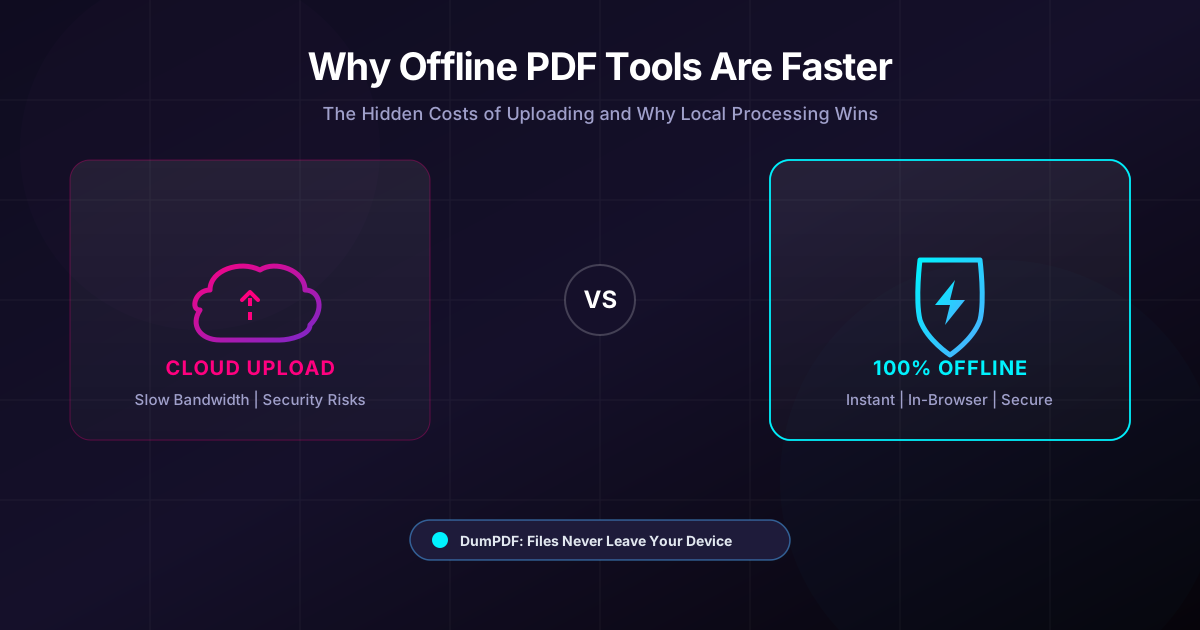
Quick Answer: Offline PDF tools process documents directly on your device within your web browser, bypassing slow upload speeds, server queues, and critical data privacy risks. By keeping your files local, you get instantaneous execution and 100% privacy with zero risk of data leaks.
In our highly connected, cloud-first world, we have been conditioned to believe that the cloud is always better, faster, and more efficient. From collaborative documents to cloud storage, remote servers handle a massive portion of our daily workloads.
However, when it comes to document manipulation—such as merging, splitting, or compressing files—the cloud has a dirty secret: uploading files is a massive bottleneck.
For everyday users and privacy-conscious professionals alike, relying on cloud-based PDF tools introduces hidden costs in time, bandwidth, and security. Here is a deep dive into why client-side, offline PDF tools are vastly superior in speed, efficiency, and data protection.
The Illusion of Cloud Speed
When you click “Upload” on a typical online PDF editor, your browser has to package your file and send it across the internet to a remote server. The server then processes your request, modifies the document, and forces you to download the newly generated file.
While the remote server might have powerful processors, this workflow ignores the physical limitations of your internet connection.
The Asymmetric Internet Bottleneck
Most residential and business internet connections are asymmetric. This means your download speed is significantly faster than your upload speed.
For example, a standard fiber connection might offer download speeds of 300 Mbps, but upload speeds of only 20 to 30 Mbps. If you are working with large documents, scanned contracts, or image-heavy portfolios, uploading those files can take minutes.
With an offline, client-side tool like DumPDF, this bottleneck is completely eliminated. Because the software runs directly inside your browser using modern WebAssembly and JavaScript, your files never leave your computer. The processing speed is limited only by your local device’s hardware, which can execute operations in milliseconds.
The Hidden Costs of Uploading Your PDFs
Beyond simple transfer speeds, cloud-based PDF processing carries several hidden costs that impact your productivity and peace of mind.
1. Server Queues and Latency
Online PDF platforms handle requests from thousands of users simultaneously. During peak business hours, your files do not just process instantly; they enter a server queue. If the server is overloaded, you are left staring at a spinning loading wheel.
Local browser-based processing has zero latency. There are no queues, no server outages, and no rate limits based on server capacity.
2. High Bandwidth Consumption
If you regularly manage documents on a limited data plan, while traveling, or on slow public Wi-Fi, uploading and downloading multi-megabyte files is highly inefficient.
- To compress PDF files on a cloud server, you must first upload the bloated, uncompressed file.
- To extract a single page from a 100MB document, you must upload the entire 100MB file to the cloud just to download a 200KB result.
Offline tools process the file locally, meaning your data usage is exactly zero bytes after the initial tool loads in your browser.
3. The Security and Privacy Tax
The most critical cost of uploading PDFs is the risk to your privacy. PDFs often contain highly sensitive information: tax returns, medical records, legal contracts, and financial statements.
When you upload these files to a third-party server, you lose control of your data. You must trust that the platform:
- Encrypts your files in transit and at rest.
- Deletes your files promptly (and does not store them in temporary caches).
- Is secure against data breaches and malicious actors.
- Does not use your documents to train AI models.
For professionals handling HIPAA, GDPR, or proprietary corporate data, uploading these files is a compliance nightmare.
How Client-Side, Offline Processing Works
Modern web browsers are incredibly powerful engines. Thanks to technologies like HTML5, JavaScript APIs, and WebAssembly (Wasm), complex file manipulations that once required heavy desktop software can now be executed directly in your browser tab.
Traditional Cloud Tool:
[Your Device] --(Upload File)--> [Internet/Server] --(Process)--> [Internet/Server] --(Download File)--> [Your Device]

DumPDF (Client-Side):
[Your Device] --(Process Locally in Browser Sandbox)--> [Your Device] (Instant & 100% Private)
When you use DumPDF, the application loads the processing engine into your browser’s local sandbox. When you drag and drop a file, the browser accesses the file locally. The CPU on your computer or phone does the work, and the modified file is saved directly to your local storage.
Your files are NEVER uploaded to a server. This architecture guarantees 100% privacy, zero data leaks, and unmatched processing speeds.
Workflow Advantages: Real-World Speed Comparison
Let’s look at how local processing transforms common document workflows:
| Task | Cloud-Based Tool Workflow | DumPDF (Offline Client-Side) Workflow |
|---|---|---|
| Combine Files | Upload multiple large files, wait for server merge, download massive combined file. | Drag files, click merge, and merge PDF files instantly. |
| Extract Pages | Upload entire document, select pages, wait for server split, download new file. | Instant local splitting; only selected bytes are written to disk. |
| Security/Redaction | Upload sensitive data to a server to redact or password-protect it. | Apply encryption and redaction locally. Cleartext data never leaves your RAM. |
Why DumPDF is the Smart Choice for Professionals
DumPDF was built from the ground up to solve the speed and security limitations of the modern web. By leveraging cutting-edge client-side technology, DumPDF offers:
- Absolute Privacy: Because files never leave your device, there is zero risk of interception, server-side data leaks, or unauthorized data mining.
- Instant Execution: No upload progress bars, no download wait times, and no server queues.
- Offline Capability: Once the page is loaded, you can disconnect from the internet entirely and continue working. It is perfect for flights, remote work, or secure offline environments.
- No Installation Required: Enjoy the power of a dedicated desktop offline app without having to install bulky, expensive software or manage administrative privileges on corporate devices.
Stop waiting on slow uploads and compromising your data security. Switch to client-side PDF tools and experience how fast, private, and seamless document management can truly be.
Help Keep DumPDF 100% Free & Private
Zero server uploads • No accounts • No trackers