
Securely Merge Court Documents Without Cloud Exposure
Published on July 19, 2026
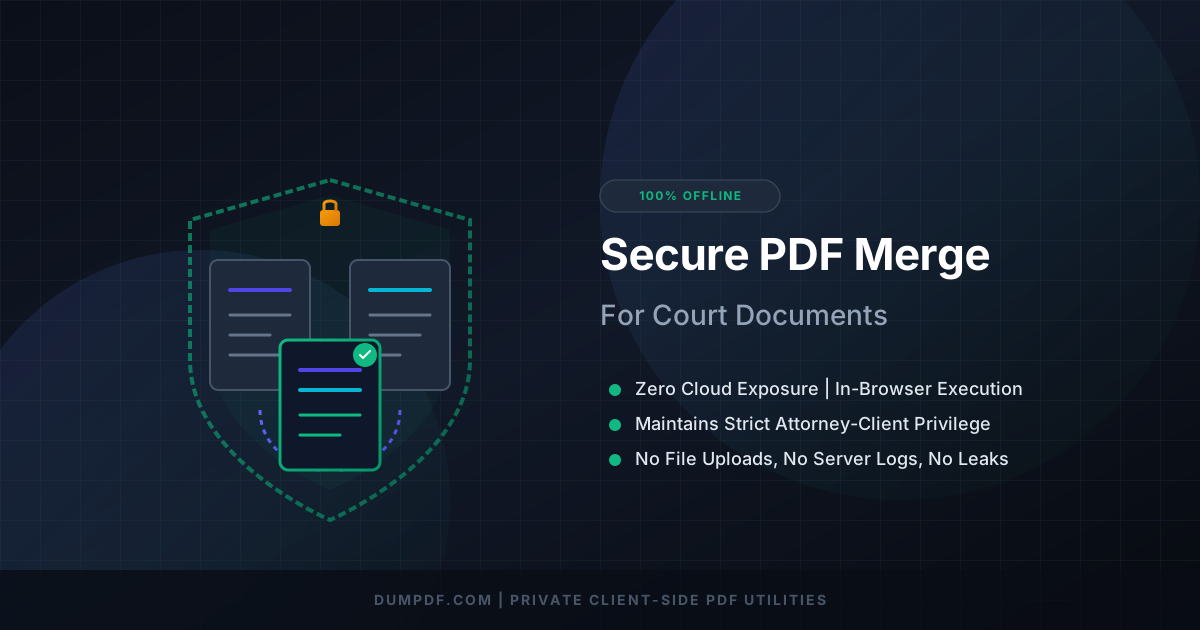
Quick Answer: To securely merge court documents without cloud exposure, use a client-side PDF tool that processes files directly within your local web browser. This method ensures sensitive legal data never leaves your device, keeping your documents 100% private and protected from server-side data leaks.
In the legal profession, document security isn’t just a best practice—it is a strict ethical and legal mandate. From personal identifiable information (PII) to highly confidential trade secrets and sensitive case strategies, the files handled by attorneys, paralegals, and court clerks require absolute confidentiality.
However, when it comes to everyday tasks like combining motion papers, exhibits, and case files, many professionals unknowingly expose their sensitive data to significant risks. Uploading legal files to typical online PDF utilities sends your data to remote, third-party servers.
Thankfully, there is a modern, highly secure alternative: merging court documents offline using client-side technology. This guide explores the dangers of cloud-based PDF tools, the mechanics of secure local processing, and how you can combine your legal files with zero cloud exposure.
The High Stakes of Legal Document Security
When preparing a court submission, you are often dealing with a patchwork of separate files: petitions, affidavits, evidence photos, and cover sheets. To present a clean, professional package to the court, you must combine these files into a single, cohesive document.
Using conventional online tools to do this introduces massive vulnerabilities:
- Data Breaches and Server Hacks: Cloud servers are prime targets for cybercriminals. If a server hosting your uploaded PDF is breached, your confidential client data could end up on the dark web.
- Vague Terms of Service: Many free online PDF editors state in their fine print that they reserve the right to store, analyze, or even utilize uploaded files to train machine learning models.
- Regulatory Violations: Uploading protected information (such as medical records in a personal injury case) to unencrypted cloud servers can result in severe violations of HIPAA, GDPR, or state-level privacy acts.
- Loss of Attorney-Client Privilege: If sensitive defense strategies or discovery documents are exposed via a third-party leak, you risk waiving attorney-client privilege.
Why “Cloud-Free” is the New Standard for Legal Professionals
To eliminate these risks entirely, legal professionals are shifting toward client-side PDF tools.
Unlike traditional web applications that require you to upload your files to a remote server for processing, client-side tools execute all operations directly inside your web browser using your local device’s CPU. Your files never travel across the internet; they stay on your hard drive.
Understanding the technical architecture behind this is crucial; you can explore the differences in depth by reading about Client-Side vs. Server-Side PDF Tools: Why Offline Matters. By transitioning to local-first browser tools, you maintain complete custody of your documents throughout the entire compilation process.
How to Securely Merge Court Documents Offline
Merging your files without cloud exposure is incredibly simple when using a local-first platform like DumPDF. Here is how to combine your legal documents securely in seconds:
Step 1: Sanitize and Prepare Your Files
Before combining your files, ensure that all sensitive metadata or accidental PII is handled. If you have confidential information that should not be visible to the court or opposing counsel, it is wise to first redact PDF files to remove social security numbers, private names, or financial accounts before combining them.
Step 2: Open the Local Merger Tool
Navigate to a secure, client-side tool. For combining your compiled legal files, using a dedicated local merge PDF tool is the safest approach. Because the tool runs entirely in your browser using WebAssembly, you can even disconnect your internet entirely after the page loads to verify that no data is leaving your machine.
Step 3: Drag and Drop Your Court Files
Drag and drop your PDFs—such as the main motion, Exhibit A, and Exhibit B—directly into the browser window. The files will load instantly because they do not have to be uploaded to an external server.
Step 4: Reorder and Organize
Arrange the pages and document sequence to match your court’s indexing requirements. You can easily drag files to reorder them, ensuring your exhibits follow the correct chronological or logical order.
Step 5: Save Your Merged PDF
Click the “Merge” button. The browser compiles the documents locally in milliseconds. A download prompt will appear immediately, saving the newly combined file directly to your local storage. At no point during this process did a single byte of your court document touch an external server.
The Technical Magic of In-Browser Client-Side Processing
How is it possible to manipulate complex PDF structures without a powerful remote server?
The answer lies in modern browser technologies like WebAssembly (Wasm) and advanced local JavaScript libraries. WebAssembly allows developers to compile high-performance code (usually written in C++ or Rust) and run it inside the web browser at near-native speeds.
When you use a client-side tool:
- The application’s code loads into your browser’s temporary cache.
- Your local device executes the code to read, split, reorganize, and compile the PDF binary data.
- The browser outputs the final file directly to your system’s memory.
This approach offers the speed and convenience of an online tool with the absolute security of offline desktop software.
Key Benefits of Client-Side Tools for Law Firms
Implementing browser-based, offline-first tools across your legal practice or corporate department provides several immediate advantages:
1. Seamless Compliance
Because no data is transmitted or stored externally, you automatically comply with stringent data privacy standards, including HIPAA, CJIS (Criminal Justice Information Services), and the CCPA.
2. Zero Installation Barriers
Most corporate and government IT departments block the installation of third-party desktop software due to security concerns. Client-side web tools require zero installation, zero administrative privileges, and run perfectly within standard secure browsers like Chrome, Edge, or Firefox.
3. Ultimate Speed
Traditional cloud mergers require you to upload large, high-resolution scanned court documents, wait for a server queue to process them, and then download the heavy output file. Client-side merging happens instantly because there is zero network latency or upload/download bottlenecking.
Conclusion: Protect Your Clients, Secure Your Files
In the digital age, convenience should never come at the expense of confidentiality. Merging court documents, organizing legal exhibits, and compiling sensitive filings can be done quickly and seamlessly without ever exposing your data to the cloud.
By adopting local, client-side tools like DumPDF, you ensure that your firm’s administrative tasks are handled with the highest level of security. Keep your files where they belong—on your device—and maintain 100% privacy with every click.
Help Keep DumPDF 100% Free & Private
Zero server uploads • No accounts • No trackers