Client-Side vs. Server-Side PDF Tools: Why Offline Matters
Published on July 6, 2026
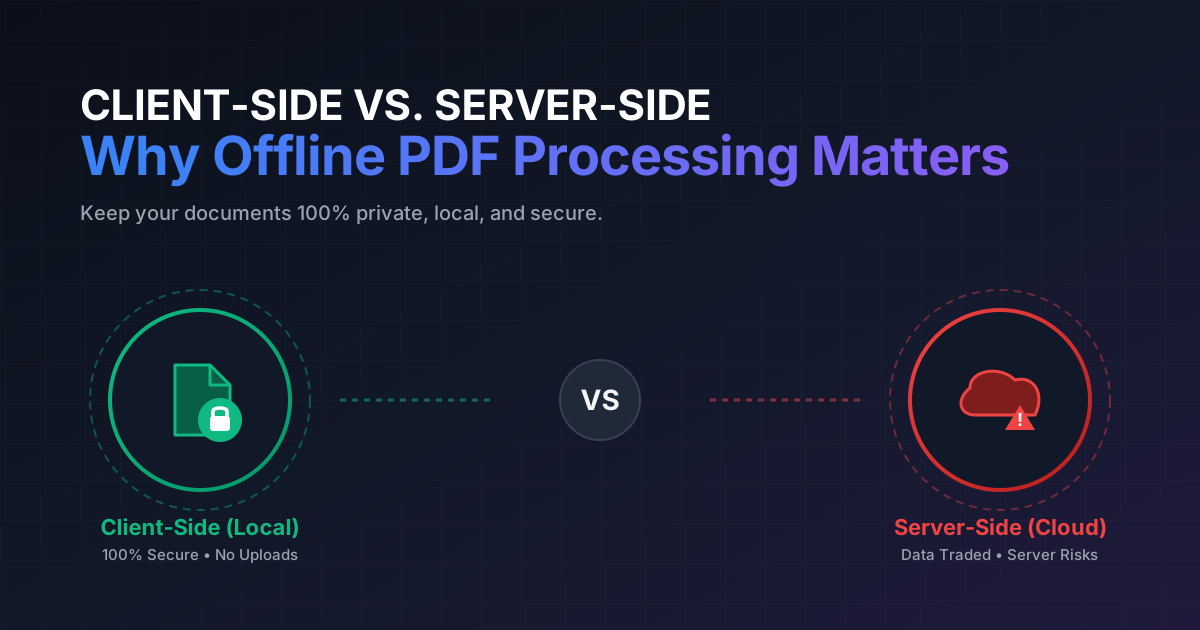
Quick Answer: Client-side PDF tools process documents directly inside your web browser without uploading them to a remote server, guaranteeing 100% data privacy. In contrast, server-side tools require uploading your files, exposing sensitive information to potential third-party leaks and security breaches.
In today’s hyper-connected digital landscape, portable document format (PDF) files are the lifeblood of business operations, legal agreements, academic research, and personal record-keeping. Whether you are signing a contract, organizing tax documents, or compiling research papers, you likely interact with PDFs daily.
However, as the need to manipulate these documents has grown, so has the popularity of quick-fix web tools. A simple search for “free PDF editor” yields dozens of web-based utilities. What most users do not realize is that behind the slick user interfaces of these platforms lies a critical architectural division: client-side processing versus server-side processing.
Understanding this distinction is not just a matter of technical curiosity—it is the difference between keeping your private data entirely secure on your machine or handing it over to a third-party server.
What is Server-Side PDF Processing?
For over a decade, the standard model for web-based PDF utilities has been server-side processing. When you use a traditional online PDF tool, the workflow follows a specific path:
- Upload: You select a file from your local storage, which is then transmitted over the internet to the service provider’s cloud server.
- Processing: The remote server receives the file, runs the requested operation (such as compression, conversion, or splitting), and saves the output.
- Download: You download the processed file back to your device.
The Hidden Risks of the Server-Side Model
While highly convenient, this model introduces several severe security and privacy vulnerabilities:
- Data Retention Policies: Even if a website claims to “delete files after 1 hour,” you are entirely relying on their word and the integrity of their automated scripts. In many cases, temporary files can persist in server caches, backups, or logs.
- Man-in-the-Middle (MitM) Attacks: Although modern HTTPS encryption secures data in transit, any vulnerability in the server’s configuration can expose your files to interception.
- Server Breaches: Cloud servers are prime targets for hackers. If a PDF utility provider’s database is compromised, every document currently stored on their system—including highly sensitive financial statements, medical records, and legal contracts—becomes accessible to bad actors.
- Compliance Violations: For professionals handling proprietary or regulated data (such as healthcare records under HIPAA or personal data under GDPR), uploading documents to an unauthorized third-party server can result in severe legal and financial penalties.
What is Client-Side PDF Processing?
Client-side processing represents a paradigm shift in web utility design. Instead of sending your files to a distant server, a client-side tool brings the application logic directly to your browser.
Using modern web technologies like WebAssembly (Wasm) and advanced JavaScript APIs, your browser is transformed into a self-contained, high-performance sandbox. When you load a client-side PDF tool like DumPDF:
- Local Loading: The application code loads into your browser cache once.
- In-Browser Processing: When you select a PDF, the file is read directly from your local hard drive into your browser’s active memory. The CPU on your computer or mobile device does all the computational heavy lifting.
- Instant Output: The processed PDF is generated locally and saved straight to your downloads folder.
At no point during this cycle does your document traverse the internet. You can even disconnect your Wi-Fi entirely, and the tool will continue to function flawlessly.
Why Offline and Client-Side Processing Matters for Privacy
The advantages of keeping your document manipulation strictly offline go far beyond simple peace of mind. Let’s look at the core benefits of choosing a client-side architecture.
1. Absolute Data Sovereignty (Zero Data Leaks)
With client-side tools, your files never leave your physical device. This eliminates the risk of server-side data breaches, unauthorized data mining, or accidental exposure. If you need to redact sensitive data from a legal contract, doing so client-side ensures that the unredacted version of your document was never exposed to the cloud in the first place.
2. Uncompromising Compliance
For lawyers, accountants, healthcare workers, and enterprise employees, data protection compliance is non-negotiable. Client-side tools naturally align with strict regulatory frameworks because they do not constitute “third-party data processing.” Since no data is transmitted, you remain in full control of your compliance pipeline.
3. Freedom from Internet Dependency
Server-side tools require a stable, high-speed internet connection, especially when uploading large PDF files. Client-side tools, however, work anywhere. Whether you are working on a secure corporate intranet, traveling on an airplane with no Wi-Fi, or operating in a remote area with poor cellular service, you can still easily merge PDF files or convert documents without interruption.
4. Advanced Features Done Locally
Historically, complex tasks like Optical Character Recognition (OCR) required massive server resources. Thanks to modern browser optimization, even these heavy workloads can now be executed completely offline. For instance, you can learn make scanned PDFs searchable offline using secure, browser-based OCR engines that do not compromise your document’s privacy.
Client-Side vs. Server-Side: A Direct Comparison
| Feature | Client-Side Tools (e.g., DumPDF) | Traditional Server-Side Tools |
|---|---|---|
| File Upload Required | No (Processed locally in-browser) | Yes (Uploaded to remote cloud) |
| Privacy Level | 100% Secure (Zero data transmission) | Risk of exposure (Data sent to third-party) |
| Offline Functionality | Yes (Works completely without internet) | No (Requires active internet connection) |
| Processing Speed | Instant (No upload/download waiting times) | Dependent on internet upload/download speeds |
| GDPR/HIPAA Friendly | Yes (Data never leaves your device) | Risky (Requires vetting vendor’s security) |
How DumPDF Empowers Your Workflow Securely
DumPDF is designed from the ground up to prioritize user privacy without sacrificing speed or usability. By utilizing cutting-edge client-side technology, DumPDF provides a comprehensive suite of PDF tools that run entirely in your web browser.
Whether you need to split documents, compress large files, or convert formats, you can do so with the absolute certainty that your private information remains yours alone. Security should never be a compromise, and with offline-first client-side tools, it no longer has to be.
Help Keep DumPDF 100% Free & Private
Zero server uploads • No accounts • No trackers