
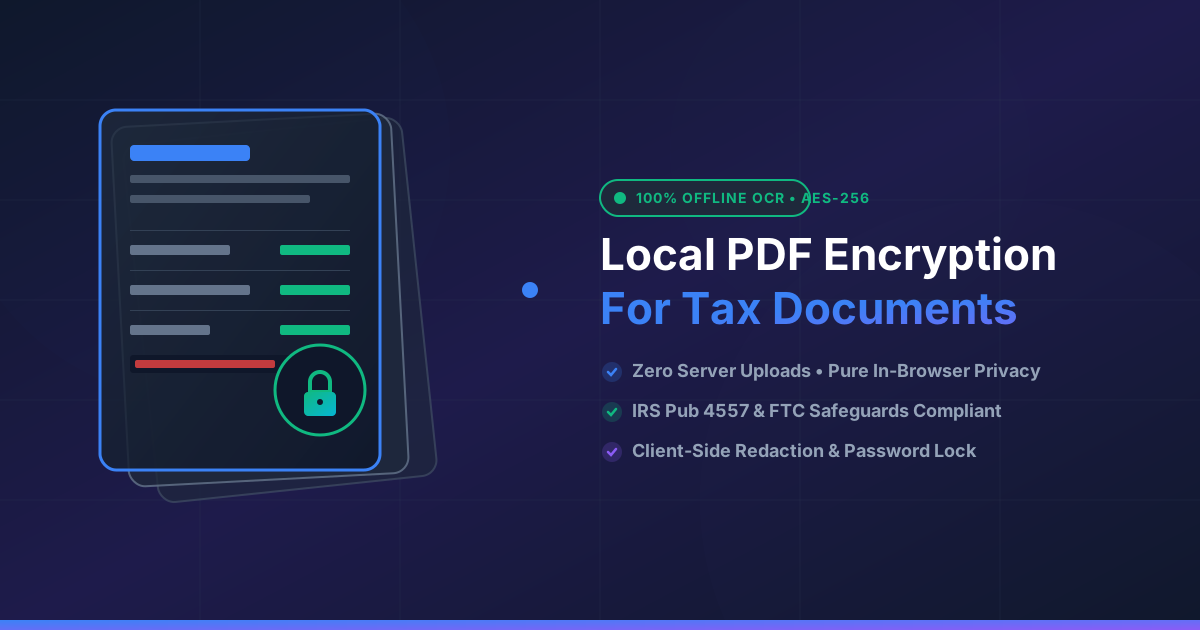
Secure Tax Document Management with Local PDF Encryption
Published on August 1, 2026
Quick Answer: Accountants can securely manage sensitive tax documents by leveraging client-side, local PDF encryption tools that run entirely inside the web browser. Because file processing occurs on the local CPU without uploading client financial data to external servers, tax professionals guarantee complete privacy, regulatory compliance, and protection against cloud data breaches.
Tax season brings an extraordinary volume of highly sensitive information: Social Security numbers, W-2s, 1099s, bank statements, and corporate balance sheets. For Certified Public Accountants (CPAs), tax preparers, and financial advisors, maintaining the confidentiality and integrity of these documents is not just good business practice—it is a legal mandate under IRS Publication 4557, the Gramm-Leach-Bliley Act (GLBA), and the FTC Safeguards Rule.
Despite these strict regulations, traditional workflows often rely on standard cloud services or online conversion utilities that upload confidential files to remote web servers. Every server upload introduces potential vulnerabilities, third-party access risks, and potential data leaks.
In this guide, we will explore how accounting professionals can modernize their workflow using local PDF encryption, ensuring that sensitive client tax documents remain entirely on their local device throughout the encryption and management process.
The Hidden Cybersecurity Vulnerabilities in Tax Document Management
When managing client tax documents, the traditional method of using online PDF converters presents significant security challenges. Standard cloud utilities operate by requiring you to upload your PDF to an external cloud server, where remote scripts execute the requested file action before serving a download link back to your browser.
While cloud platforms promise strict deletion policies, server-side processing introduces inherent security risks:
- Data Retention and Caching: Files processed on remote servers can persist in server caches, backup storage, or system logs far longer than stated in privacy policies.
- Man-in-the-Middle (MitM) Interception: Transmitting unencrypted tax files over public or shared office networks creates opportunities for malicious interception.
- Third-Party Subprocessors: Many online tools route processing tasks to secondary cloud infrastructure providers, diluting control over client data residency.
- Compliance Violations: Accidentally transmitting non-public personal information (NPI) to unverified third-party servers can trigger costly regulatory fines and non-compliance audits.
To eliminate these vulnerabilities, tax professionals are adopting client-side local processing, shifting execution from third-party servers to the practitioner’s local hardware.
Understanding Local (Client-Side) PDF Encryption
Local PDF encryption processes files using modern web technologies like WebAssembly (Wasm) and HTML5 APIs. When you use a client-side utility like DumPDF, your browser executes the required cryptographic algorithms locally on your machine.
How In-Browser Local Processing Works
- Local File Loading: You select a tax document from your drive. The browser loads the file directly into local device memory (RAM).
- In-Browser Cryptographic Execution: Algorithms like 256-bit AES encryption execute directly within the browser session via client-side JavaScript or WebAssembly modules.
- Instant Local Download: The modified, encrypted PDF file is compiled locally and saved back to your storage drive.
At no point during this cycle does a single byte of client data leave your computer. You can even disconnect your Wi-Fi or run your machine completely offline, and the application will function seamlessly.
Step-by-Step Workflow: Managing Tax Documents Securely
Integrating client-side tools into your tax preparation pipeline creates an airtight workflow that keeps client data completely private.
+-----------------------------------------------------------------------+
|                       LOCAL DEVICE BOUNDARY                           |
|                                                                       |
|  [ Scanned Tax File ]                                                 |
|          │                                                            |
|          ▼                                                            |
|  [ In-Browser OCR Engine ]  ──► [ Searchable Tax Document ]             |
|                                            │                          |
|                                            ▼                          |
|  [ Client-Side Redaction ]  ──► [ Redacted Document (No PII) ]         |
|                                            │                          |
|                                            ▼                          |
|  [ 256-bit AES Encryption ] ──► [ Password-Protected PDF ]            |
|                                            │                          |
|                                            ▼                          |
|                              [ Secure Client Transmission ]           |
+-----------------------------------------------------------------------+
Step 1: Pre-Process and Sanitize Scanned Records
Tax documents frequently arrive as scanned receipts, physical tax form copies, or smartphone images. Before locking down these files with encryption, ensure they are fully organized and sanitized.
If you deal with flat image scans of W-2s or 1099s, transform them into fully readable text before adding protection. Using client-side technology, you can easily make scanned PDFs searchable offline without transmitting client sensitive data to third-party servers.
Step 2: Permanently Black Out Confidential PII
Before sharing tax returns across departments or sending preliminary drafts, redact unnecessary personally identifiable information (PII) such as bank account numbers or child dependent Social Security details.
Ensure you do not use simple visual overlays or black highlight boxes, as tech-savvy users can easily remove visual layers to reveal the underlying text. Instead, use tools designed to redact sensitive client information directly within your browser, purging the underlying raster and text metadata permanently.
Step 3: Apply Strong 256-Bit Local Encryption
Once the document is finalized, apply strong password protection using standard PDF encryption specifications (AES-256).
By opting to protect PDF documents through client-side encryption, you ensure that the password key derivation and document structure scrambling occur strictly inside your local device memory. This prevents server-side key logging or credential sniffing.
Regulatory Compliance Advantages for Accounting Firms
Adopting local PDF manipulation tools helps CPAs and tax preparers maintain full compliance with regulatory standards:
| Regulation / Standard | Requirement | How Local PDF Encryption Helps |
|---|---|---|
| IRS Publication 4557 | Safeguarding taxpayer data against unauthorized access and electronic leaks. | Zero server transmission guarantees client files never reside on unauthorized networks. |
| FTC Safeguards Rule | Implementing data encryption in transit and at rest for non-public financial records. | Provides robust 256-bit AES encryption applied entirely locally on practitioner workstations. |
| GLBA Compliance | Protecting consumer financial information held by financial service providers. | Eliminates third-party cloud subprocessors from the document handling chain. |
| GDPR / CCPA | Enforcing strict data minimization and consumer privacy rights. | Data never touches an external server, removing complex multi-jurisdictional compliance concerns. |
Best Practices for Managing Encrypted Tax Files
To maximize security when storing and transmitting encrypted client tax files:
- Use Unique Complex Passphrases: Combine uppercase letters, numbers, and symbols to build passphrases for each client packet. Avoid using client names or simple tax year strings.
- Separate Key Transmission: Always send document passwords via a separate communication channel (e.g., SMS or secure messaging platform) rather than attaching them to the same email as the encrypted tax return.
- Maintain Local Backups: Keep locally encrypted copies of client files stored on encrypted hardware drives or enterprise-managed secure storage solutions.
- Audit Internal Access: Regularly audit workstation privileges to ensure only authorized staff members have access to decryption passphrases and local document working directories.
Conclusion: Total Privacy Control with DumPDF
Tax professionals are prime targets for cyber threats due to the valuable financial data they manage daily. Relying on cloud-based online conversion websites exposes client records to unnecessary security hazards.
With DumPDF, you get a complete suite of browser-based PDF utilities designed around a zero-knowledge, client-side paradigm. Every action—from merging and splitting to redacting and encrypting—runs 100% locally in your browser. No files are uploaded, no data is logged, and privacy remains completely intact. Safeguard your firm’s reputation and client trust by adopting local PDF encryption for all your tax workflows today.
Help Keep DumPDF 100% Free & Private
Zero server uploads • No accounts • No trackers