Secure Patient Record Management: Best Offline PDF Tools
Published on July 5, 2026
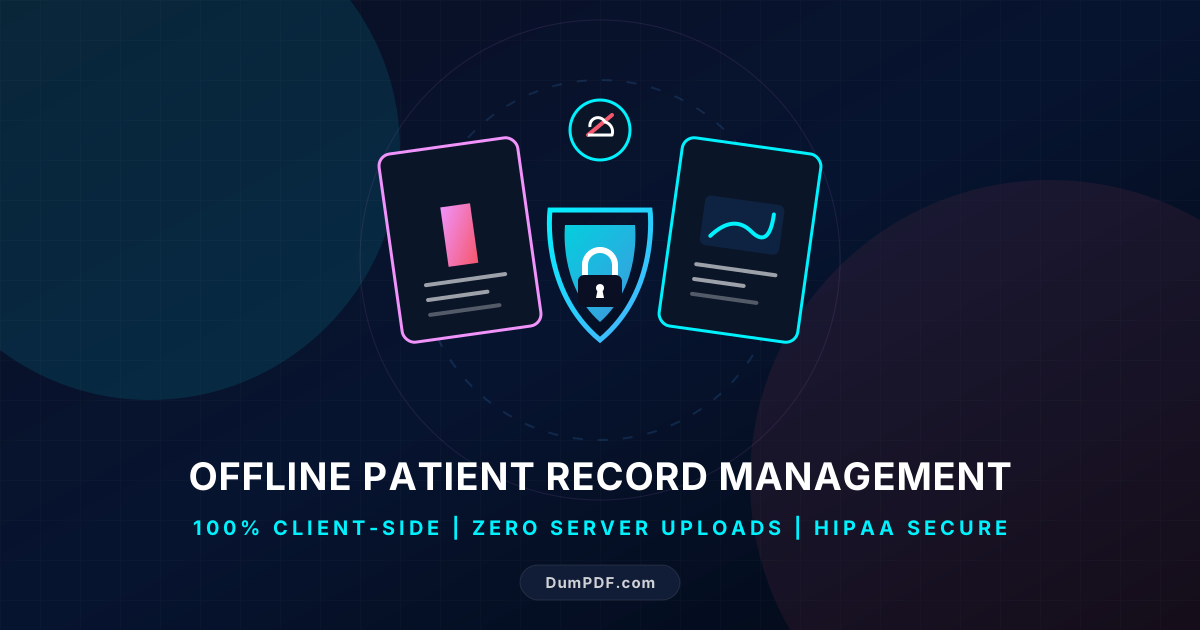
Quick Answer: Managing patient records offline using client-side PDF tools ensures 100% data privacy and compliance with regulations like HIPAA. By processing files directly in your web browser without uploading them to external servers, you eliminate the risk of data leaks and unauthorized access.
Effective document management is critical in the healthcare sector. Patient records, medical histories, diagnostic reports, and billing statements are generated daily in high volumes. For healthcare providers, administrative staff, and medical professionals, the Portable Document Format (PDF) is the standard for sharing and storing these documents due to its universal compatibility and formatting consistency.
However, handling Protected Health Information (PHI) comes with massive legal and ethical responsibilities. Traditional online PDF editors pose a massive security risk: they require you to upload sensitive patient documents to their cloud servers, exposing you to potential data breaches, unauthorized third-party access, and violations of strict privacy laws like HIPAA, GDPR, and CCPA.
The solution lies in offline, client-side PDF tools. By shifting document processing directly to your local machine, you can manage patient records securely, efficiently, and with absolute peace of mind.
The Hidden Dangers of Cloud-Based PDF Tools
Many healthcare professionals and administrative assistants unknowingly violate privacy compliance laws daily. When faced with a quick task—such as merging two medical files, splitting a diagnostic report, or redacting a patient’s social security number—the default action is often to search Google for a free online PDF tool.
While these cloud-based tools are convenient, they operate on a server-side architecture. This means:
- Data Uploads: Your sensitive files are transferred over the internet to an external server.
- Data Retention: Many free platforms store copies of your files on their servers for hours, days, or even indefinitely under their terms of service.
- Vulnerability to Breaches: If the platform’s cloud database is compromised, your patients’ highly confidential medical records could be leaked on the dark web.
In contrast, understanding the mechanics of client-side vs. server-side PDF processing reveals a much safer path. Client-side tools execute all operations directly within your browser sandbox or local environment using modern technologies like WebAssembly. Your files never leave your computer, ensuring absolute compliance and zero data leaks.
Why Offline PDF Tools are Essential for Patient Record Management
For medical clinics, private practices, and hospital administrators, offline-first PDF tools offer three indispensable benefits:
1. Guaranteed HIPAA and GDPR Compliance
Under HIPAA (Health Insurance Portability and Accountability Act), any tool that processes PHI must adhere to strict security safeguards. Because offline PDF tools process data locally, there is no transmission of PHI over the internet to third parties. You maintain exclusive control over your patient files, eliminating the need to sign complex Business Associate Agreements (BAAs) with cloud PDF vendors.
2. Uninterrupted Workflow (No Internet Required)
Medical environments can be unpredictable. Network outages, slow hospital Wi-Fi, or remote field clinics can halt cloud-dependent workflows. Offline-compatible PDF tools work completely without an internet connection. You can organize, merge, and secure patient records even when you are completely disconnected from the web.
3. Faster Processing Speeds
Uploading large, high-resolution medical scans or multi-page patient histories to a cloud server takes time, especially on asymmetric internet connections with slow upload speeds. Local client-side tools process files instantly because they utilize your computer’s local hardware resources (CPU and RAM) without any network latency.
Essential PDF Workflows for Healthcare Administrators
Managing medical records requires a variety of document manipulation tasks. Here is how offline PDF tools optimize these workflows safely:
Redacting Protected Health Information (PHI)
Before sharing medical records for research, legal cases, or insurance claims, you must remove identifying patient details (names, dates of birth, addresses, and medical ID numbers). Simply drawing a black box over text using basic PDF readers does not delete the underlying metadata or searchable text layers.
Using a secure, offline redact PDF tool ensures that sensitive data is permanently stripped from the document’s code. Because this happens locally in your browser, there is zero risk of the unredacted original file being intercepted during transit to a cloud server.
Consolidating and Organizing Patient Charts
Patient folders often become cluttered with scattered PDFs containing lab results, specialist letters, and intake forms. To create a clean, chronological patient history, administrative staff need to consolidate these files.
An offline utility to merge PDF files allows you to combine multiple clinical documents into a single, cohesive file. This keeps patient charts organized, easy to navigate, and highly secure.
Splitting Multi-Page Diagnostic Reports
Conversely, hospital billing departments often receive massive, multi-page clinical documents but only need to send a single page (like an invoice or a specific diagnostic code sheet) to an insurance provider. Offline splitting tools let you extract specific pages without exposing the rest of the patient’s clinical file to unauthorized eyes.
Best Practices for Secure Offline PDF Management
To maintain a secure, compliant document ecosystem in your healthcare facility, implement the following best practices:
| Practice | Actionable Step | Benefit |
|---|---|---|
| Local-Only Processing | Choose tools like DumPDF that run entirely in-browser without server uploads. | Prevents data leaks and eliminates cloud storage vulnerabilities. |
| Password Protection | Apply strong AES-256 encryption to archived or emailed patient records. | Restricts access to authorized medical personnel only. |
| Metadata Stripping | Clean document metadata (author names, creation dates, device info) before sharing. | Prevents accidental leaks of internal network or staff details. |
| Regular Audits | Review who has local access to the machines where PDFs are processed and stored. | Maintains physical and digital chain of custody for PHI. |
Conclusion: Emphasize Privacy with DumPDF
Patient trust is the foundation of healthcare. Protecting their digital footprint is just as important as protecting their physical well-being. By transitioning your administrative workflows to offline, client-side PDF tools, you insulate your practice from data breaches, streamline your document pipelines, and guarantee compliance with strict global privacy regulations.
DumPDF is engineered specifically for this standard of security. Operating entirely within your web browser using cutting-edge client-side technology, DumPDF lets you merge, split, redact, and protect your PDF documents without a single byte of data ever leaving your device. It is the ultimate tool for secure, offline patient record management.
Help Keep DumPDF 100% Free & Private
Zero server uploads • No accounts • No trackers