How to Extract PDF Pages Offline Safely & Instantly
Published on July 3, 2026
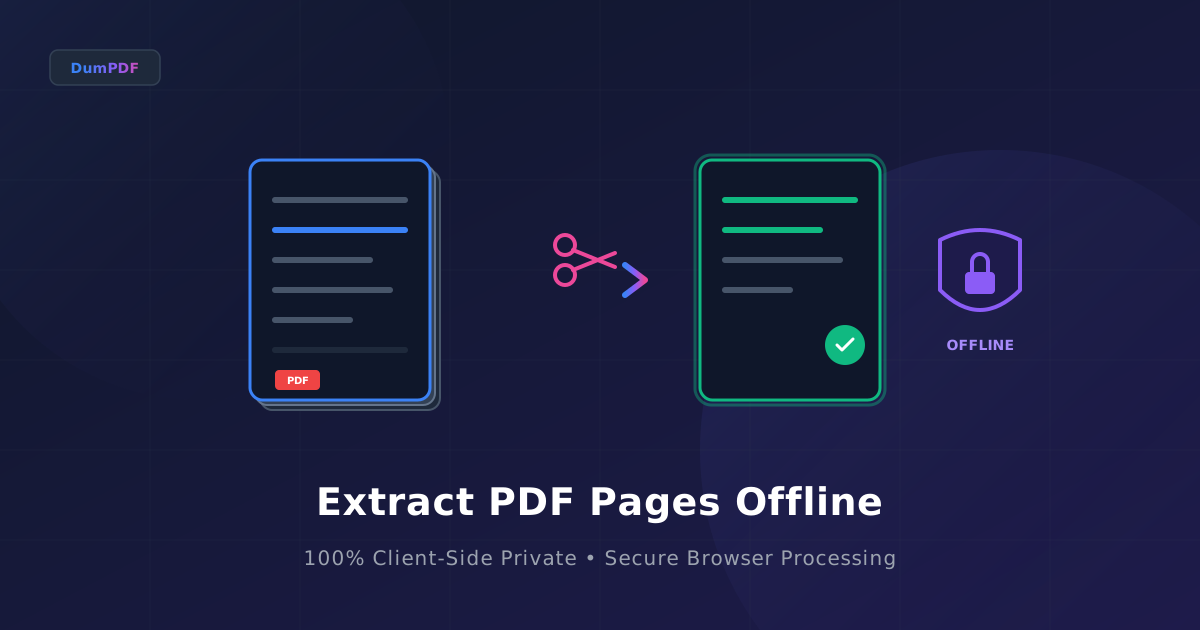
Quick Answer: To extract specific pages from a large PDF document offline and securely, use a client-side tool like DumPDF. This allows you to select and save only the pages you need directly in your browser without uploading your sensitive files to any external server.
In today’s digital-first world, Portable Document Format (PDF) is the standard for sharing contracts, medical records, financial statements, and academic research. Often, these documents are massive, containing hundreds of pages of which you only need a select few.
While the internet is flooded with free online PDF utilities, most of them require you to upload your files to a remote cloud server. For professionals handling confidential client information, proprietary business data, or personal identification documents, this upload-first model introduces massive security vulnerabilities.
This comprehensive guide will show you how to safely extract specific pages from a large PDF document offline using modern, client-side browser technology that guarantees 100% privacy.
The Hidden Risks of Online PDF Extractors
When you search for “extract PDF pages” on a search engine, the top results are almost exclusively cloud-based SaaS tools. While convenient, the backend process of these tools looks like this:
- Upload: Your file is transmitted over the internet to a third-party server.
- Processing: The server opens, reads, and splits your document.
- Storage: The server saves the newly created files temporarily.
- Download: You download the extracted pages back to your machine.
Even if a service claims to “delete files after 1 hour,” your data is briefly vulnerable during transit and storage. Hackers targeting cloud databases, misconfigured server permissions, or even rogue employees could gain access to your sensitive records. For businesses bound by regulations like GDPR, HIPAA, or CCPA, uploading documents to unknown servers can result in severe compliance violations.
What Does “Offline” and “Client-Side” Processing Mean?
Fortunately, modern web technology has evolved. It is no longer necessary to choose between the convenience of a web app and the security of offline desktop software.
Through technologies like WebAssembly (Wasm) and advanced JavaScript, websites can now run complex program code directly within your web browser. When you use an offline-first tool like DumPDF, your files never leave your computer.
- No Server Uploads: The application loads into your browser once. After that, all processing happens locally in your device’s RAM.
- Instant Speed: Because there is no upload or download latency, processing a 500MB PDF happens in milliseconds.
- True Offline Capability: You can disconnect your internet entirely, and the extract PDF pages tool will still work flawlessly.
How to Extract Specific Pages from a Large PDF Offline (Step-by-Step)
Extracting pages locally is incredibly simple and requires no software installation. Here is how you can do it step-by-step:
Step 1: Navigate to the Offline Tool
Open your web browser and navigate to the local PDF extraction tool. Because the tool runs entirely client-side, it will load almost instantly.
Step 2: Import Your PDF
Drag and drop your large PDF file into the designated drop zone, or click the upload button to select it from your local storage. Remember, even though you are dragging it into a web page, the file remains strictly on your local machine.
Step 3: Specify Your Pages
You will be presented with a visual preview of the document or an input field to specify the pages you want to keep.
- For consecutive pages: Enter ranges like
5-12. - For non-consecutive pages: Enter individual page numbers separated by commas, such as
1, 4, 7, 15. - For a mix: You can combine them, e.g.,
1, 3, 10-22, 35.
If you need to break a document into multiple smaller files instead of just pulling out a few pages, you can also split PDF documents using our dedicated offline tool.
Step 4: Click Extract and Save
Click the “Extract” button. The browser will process the file instantly. A prompt will appear asking where you want to save your new, streamlined PDF document on your hard drive.
Why Privacy-Conscious Professionals Prefer Offline Tools
1. Legal and Financial Sectors
Law firms and financial institutions handle highly sensitive discovery documents, tax returns, and corporate mergers. A single data leak can ruin a firm’s reputation or lead to litigation. Offline extraction ensures that client-attorney privilege and financial confidentiality remain completely intact.
2. Healthcare and HIPAA Compliance
Medical records contain Protected Health Information (PHI). Uploading PHI to non-compliant cloud servers is a direct violation of HIPAA. By processing files locally in the browser, healthcare administrators can extract patient charts without risking regulatory fines.
3. Bandwidth Efficiency
If you are working remotely, traveling, or using a metered cellular connection, uploading a 1GB PDF just to extract 2 pages is highly inefficient. Local extraction uses zero upload bandwidth, saving you time and data costs.
4. Comprehensive Security Workflows
Security doesn’t stop at page extraction. Often, professionals need to combine different parts of various files. To maintain a completely secure workflow from start to finish, you can learn how to Securely Merge PDFs Offline: Protect Private Data to keep all your document compilation tasks completely private and local.
Technical Advantages of Browser-Based Offline Extraction
| Feature | Cloud-Based PDF Tools | Browser-Based Offline Tools (DumPDF) | Traditional Desktop Software |
|---|---|---|---|
| Data Privacy | Low (Server Upload) | 100% Private (Local) | 100% Private (Local) |
| Processing Speed | Dependent on Internet Speed | Instant (Local RAM) | Instant (Local RAM) |
| Installation Required | No | No | Yes (Bulky Admin Rights Needed) |
| Cross-Platform | Yes | Yes (Windows, Mac, Linux, Mobile) | Often limited to OS |
| Cost | Often Subscription/Ads | Free & Ad-Free | Expensive Licensing |
Frequently Asked Questions (FAQ)
Can I extract pages from password-protected PDFs offline?
Yes. If you know the password, a local client-side tool can decrypt the file in your browser’s memory, allow you to extract the required pages, and save the new file. Your password is never sent to any server.
What is the maximum file size I can process offline?
Because the processing happens in your browser, the limit is determined by your device’s available system memory (RAM). Most modern computers and smartphones can easily handle PDFs up to several gigabytes in size without any issues.
Does this process work on mobile devices?
Absolutely. Modern mobile browsers (Safari on iOS, Chrome on Android) fully support WebAssembly and local file APIs, allowing you to extract PDF pages securely on your phone or tablet while on the go.
Conclusion
Extracting specific pages from a large PDF doesn’t mean you have to compromise your data privacy. By shifting away from risky cloud-based upload services and adopting client-side, offline tools like DumPDF, you can manipulate your documents quickly, efficiently, and with absolute peace of mind. Keep your private data where it belongs: on your own device.
Help Keep DumPDF 100% Free & Private
Zero server uploads • No accounts • No trackers