
Cloud vs. Offline PDF Tools: Security Comparison
Published on October 1, 2025
Choosing the right PDF tool can be confusing. On one hand, you have popular, feature-rich cloud platforms. On the other, you have privacy-focused offline tools. But what are the real differences, especially when it comes to the security of your documents?
Let’s break it down in a head-to-head comparison to help you understand why offline PDF tools matter for your privacy.
Feature Showdown: Cloud vs. Offline
| Feature | Cloud-Based PDF Tools | Offline (Client-Side) PDF Tools |
|---|---|---|
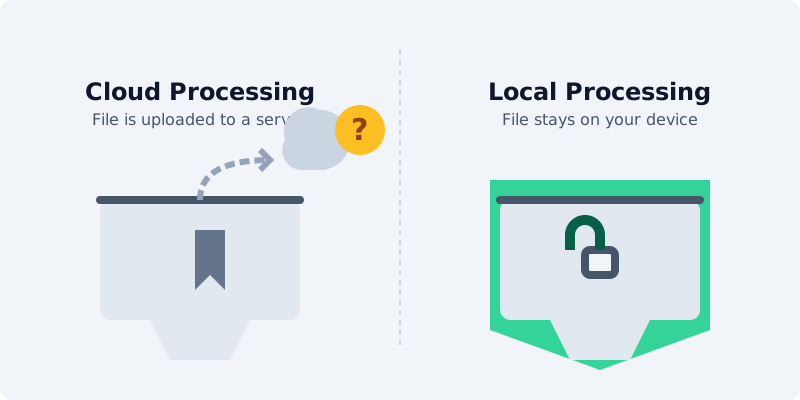
| File Processing | Files are uploaded to a remote server for processing. | All processing happens locally in your browser. Your files never leave your device. |
| Privacy | Potential Risk. Your data is on a third-party server. The service’s privacy policy dictates how your data is handled, stored, or shared. | Maximum Privacy. Since there are no uploads, your data cannot be accessed, stored, or compromised by the service provider. |
| Security | Depends on the provider’s server security, encryption standards, and vulnerability to data breaches. A single breach can expose millions of files. | Inherently Secure. The only security risk is on your own device. No risk of server-side breaches or data interception during upload. |
| Internet Connection | Required. You need a stable internet connection to upload, process, and download your files. | Not Required (after initial page load). Once the tool is loaded, you can often disconnect from the internet and continue working. |
| Performance | Can be slow depending on your internet speed (for uploads/downloads) and server load. | Extremely Fast. Processing is handled by your own computer’s CPU, with no network latency. Operations are nearly instantaneous. |
| File Size Limits | Often have strict limits on file size or the number of files you can process for free. | Typically no hard limits, constrained only by your browser’s and computer’s memory. |
When to Use Which?
Use Cloud-Based Tools When:
- You are working with non-sensitive, public documents where privacy is not a concern.
- You need complex, server-intensive features that are not yet available in offline tools (e.g., advanced OCR or AI integrations).
- You fully trust the service provider’s security and privacy policies.
Use Offline (Client-Side) Tools When:
- Privacy is your #1 priority.
- You are handling sensitive or confidential documents (e.g., contracts, financial records, personal IDs, or health information).
- You have a slow or unreliable internet connection and need to manipulate PDFs reliably directly in your browser.
- You want the fastest possible performance without waiting for tedious uploads.
- You want to avoid unexpected file size limitations, confusing subscription fees, or hidden tracking.
The Verdict
For the vast majority of everyday PDF tasks—such as merging, splitting, compressing, and rotating—offline tools like DumPDF offer a superior combination of speed, convenience, and, most importantly, security.
While the cloud has its place, the peace of mind that comes from knowing your private documents remain truly private is invaluable. By choosing client-side processing, you are taking a definitive step towards a more secure and controlled digital life. Protect your data by exclusively using secure, offline document processors.
Help Keep DumPDF 100% Free & Private
Zero server uploads • No accounts • No trackers