
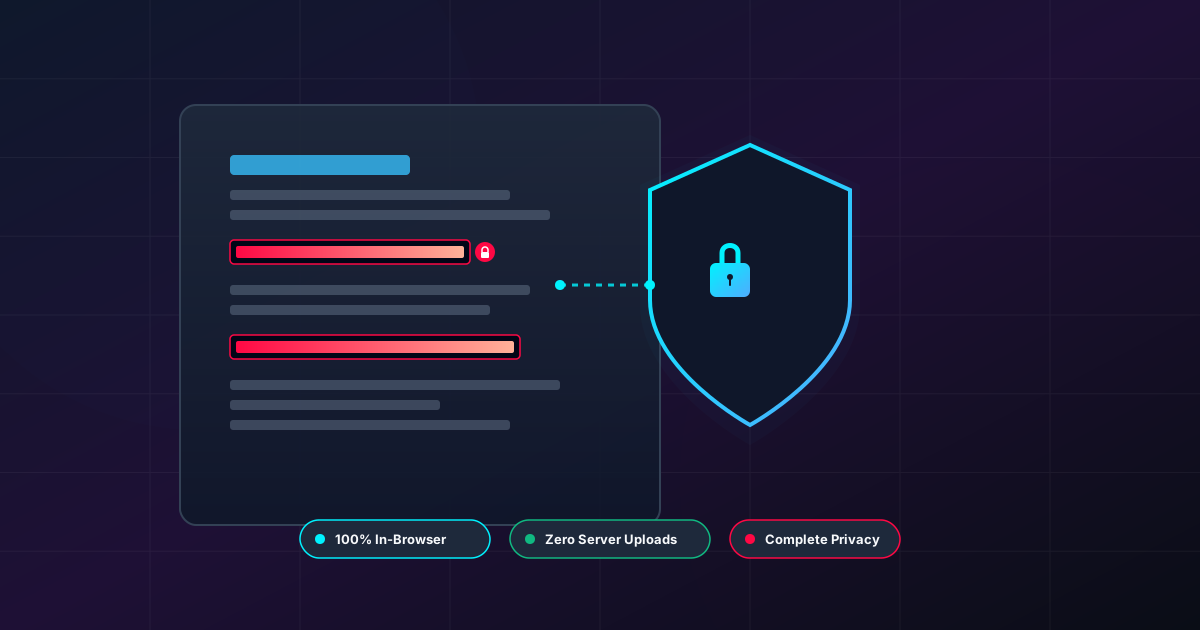
Why You Should Always Redact Sensitive PDFs Locally
Published on July 31, 2026
Quick Answer: Redacting sensitive PDFs locally ensures your confidential data—such as social security numbers, legal disclosures, and medical records—is permanently erased on your device without ever reaching a third-party server. Local, browser-based processing guarantees 100% privacy, eliminates cloud data breach risks, and maintains full compliance with strict privacy regulations.
In an era dominated by digital remote work, cloud storage, and rapid file sharing, handling confidential documents securely has become a non-negotiable priority. Whether you are a legal professional redacting court evidence, a medical worker obscuring patient records, or a everyday user sharing financial bank statements for a loan application, keeping private data out of unauthorized hands is critical.
However, many users rely on fast, convenient online PDF processors without realizing the immense security risks involved. When you upload a sensitive file to a traditional cloud-based tool, your data travels across the internet to a third-party server. If you need to sanitize confidential information, performing local redaction directly in your web browser is the safest, most reliable method available today.
What is True PDF Redaction? (And Why Black Boxes Aren’t Enough)
A common misconception among document editors is that highlighting text in black or drawing a solid rectangle over sensitive details counts as “redaction.” In reality, visual masking is purely cosmetic and leaves your data vulnerable.
The Danger of Visual Overlays
When you draw a shape over text in a standard PDF editor:
- The underlying vector text remains intact: Anyone can copy and paste the text beneath the black box.
- Search indexing still works: Search engines and desktop search tools can easily read and index the hidden words.
- Screen readers can extract the text: Accessibility tools will comfortably read out loud the text hidden beneath the visual layer.
Real Redaction Means Permanent Deletion
True PDF redaction requires removing the actual text stream, images, and underlying code from the document structure entirely. Once a section is properly redacted, the original character data is wiped from the file’s binary structure, replacing it with a clean black bar or empty space.
Using a web-based local PDF redaction tool guarantees that the sensitive text streams are stripped out completely at the code level, preventing any possibility of reverse engineering or unintended data leakage.
The Hidden Security Risks of Cloud-Based PDF Tools
When you use conventional online tools to process PDFs, the standard workflow looks like this:
- Upload: Your file is transmitted over the network to an external server.
- Server-Side Processing: The server processes, converts, or redacts the document on its remote virtual machine.
- Download: The modified document is transferred back to your device.
While this workflow is standard across the web, it introduces several security and regulatory hazards:
1. Data Breaches and Server Vulnerabilities
Once your file leaves your machine, you lose direct custody of it. If the server hosting your document suffers a breach, misconfiguration, or unauthorized access, your exposed medical, financial, or corporate details could be compromised.
2. Retention Policies and Unintentional Storage
Many free cloud tools temporarily store uploaded files on temporary storage volumes. Even if a site promises to “delete files after 1 hour,” backup logs, cached files, and server snapshots can retain copies of your unredacted documents long after your session ends.
3. Regulatory Non-Compliance
Industries governed by regulations like HIPAA (healthcare), GDPR (data privacy), or FERPA (education) strictly prohibit transmitting personally identifiable information (PII) to unauthorized cloud platforms without explicit data processing agreements (DPAs). Uploading unredacted files to unknown web servers can lead to severe regulatory fines and legal liability.
The Solution: Client-Side, Local In-Browser Processing
Thanks to modern web technologies like WebAssembly (Wasm) and advanced JavaScript engines, you no longer need to compromise between convenience and security. Next-generation privacy-focused platforms like DumPDF shift the entire computational workload from remote cloud servers directly into your local web browser.
+-----------------------------------------------------------------------+
|                         YOUR WEBBROWSER (LOCAL)                        |
|                                                                       |
|   [ Your Private PDF ] ---> [ Wasm Engine ] ---> [ Redacted PDF ]    |
|                                                                       |
|   * File never leaves device memory (RAM)                              |
|   * Zero network requests sent                                        |
|   * Works 100% offline                                                |
+-----------------------------------------------------------------------+
                                   |
                                  X  (NO UPLOADS TO SERVER)
                                   |
+-----------------------------------------------------------------------+
|                            REMOTE SERVER                              |
|                         (Completely Bypassed)                         |
+-----------------------------------------------------------------------+
How Local In-Browser Processing Works
When you load a client-side tool, the web application downloads the necessary processing code (WebAssembly modules) to your browser memory once. From that point onward:
- Zero Server Transfers: Your PDF file is read directly from your local hard drive into your browser’s local RAM.
- In-Memory Manipulation: Text destruction, image removal, and file restructuring happen entirely on your device’s processor.
- Immediate Local Download: The sanitized file is generated directly inside your browser and saved back to your disk.
- Offline Operation: You can literally disconnect your Wi-Fi or turn on Airplane Mode, and the tool will continue to function seamlessly.
This architecture guarantees 100% privacy because your files are NEVER uploaded to a server.
Key Advantages of Local PDF Redaction
Choosing local, in-browser PDF manipulation delivers distinct advantages over cloud platforms and heavy desktop software installations:
| Feature | Cloud-Based Online Tools | Traditional Desktop Software | Local In-Browser Tools (DumPDF) |
|---|---|---|---|
| Data Privacy | Low (Server Uploads) | High (Local Disk) | Maximum (100% In-Browser Memory) |
| Server Leak Risk | High | None | Zero |
| Installation Required | None | Yes (Heavy Downloads) | None (Runs instantly in browser) |
| Processing Speed | Limited by Internet Upload | Fast | Instant (Hardware-accelerated) |
| Offline Support | No | Yes | Yes |
1. Zero Risk of Data Interception
Since no file packets travel across public or private networks, middle-man attacks, packet sniffing, and cloud storage leaks become mathematically impossible.
2. Lightning-Fast Performance
Traditional tools require you to wait while giant PDF files upload and download over your internet connection. Local processing leverages your computer’s native processor speed, allowing you to sanitize large multi-page reports in seconds.
3. Complete Metadata Cleaning
Hidden within PDFs are metadata fields containing document authors, creation dates, software versions, and edit histories. Proper local redaction scripts automatically purge these hidden metadata fields locally before export.
Secure Document Workflows Beyond Redaction
Document security often involves a combination of tasks before a file is ready for public distribution or archival storage.
Combining and Formatting Documents Safely
Before redacting a final package, you may need to consolidate multiple source documents into a unified file. Handling this locally prevents draft materials from leaking prematurely. Once your files are merged and sanitized, you can choose to protect PDF files with strong local AES encryption to control who can view the final deliverable.
Private Accessibility Options
Document privacy isn’t limited to visual editing. When reviewing dense legal briefs or accessibility copies, users often turn to automated text-to-audio tools. For users who require accessible formats or need to listen to documents on the go, utilizing an offline text-to-speech converter keeps your auditory conversion completely private as well, ensuring no read-aloud data is transmitted to external cloud voice services.
Step-by-Step Guide: How to Safely Redact PDFs Locally
To achieve complete privacy and accuracy when sanitizing files, follow these simple best practices:
- Load Your Local Redaction Tool: Open your browser-based local redaction page.
- Select Your File: Drag and drop your target document into the editor. Notice that the loading process is instant because no upload is occurring.
- Mark Sensitive Text and Rectangles: Select the exact text strings, account numbers, or image regions containing sensitive PII.
- Apply Permanent Redaction: Confirm the action. The client-side script will remove the marked elements entirely from the PDF vector stream.
- Inspect the Output File: Download the new PDF and perform a simple verification test—try searching for the redacted words or dragging your cursor over the blacked-out areas to verify that text selection is impossible.
Conclusion: Take Control of Your Document Privacy
When handling sensitive legal, financial, or personal documents, convenience should never come at the cost of security. Relying on remote server uploads for PDF processing creates unnecessary privacy risks and potential compliance failures.
By shifting to local, client-side PDF processing tools, you get the best of both worlds: the instant convenience of a web application with the impenetrable security of offline execution. Keep your private data where it belongs—strictly on your device.
Help Keep DumPDF 100% Free & Private
Zero server uploads • No accounts • No trackers