How Government Officials Securely Handle Classified PDFs
Published on June 12, 2026
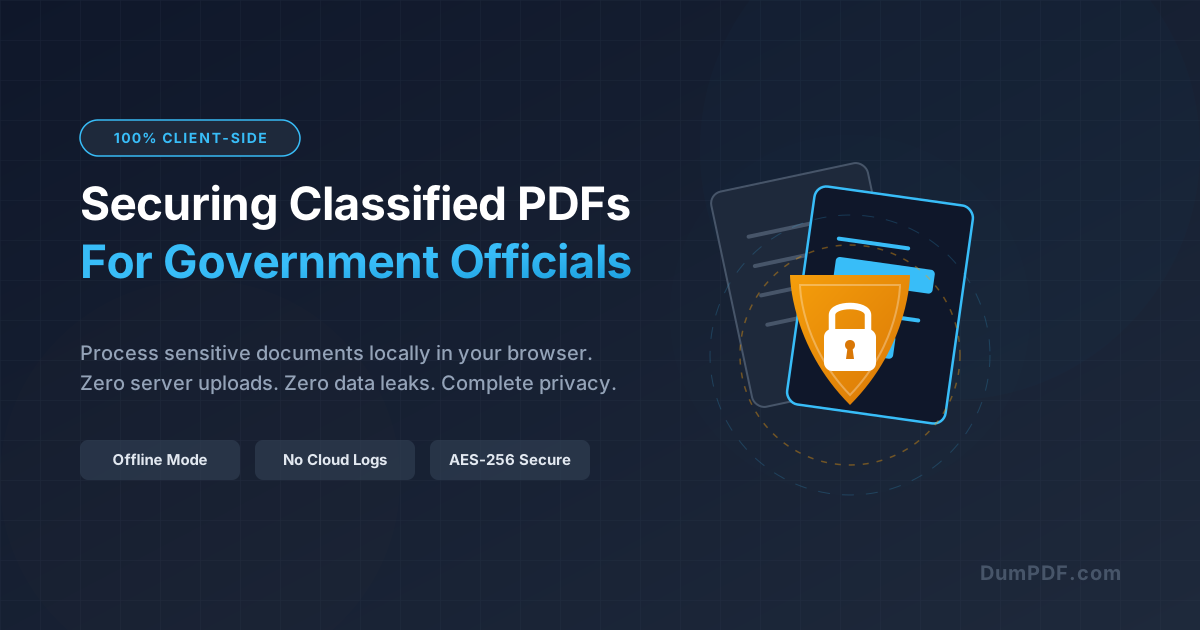
Quick Answer: Government officials handling classified documents must avoid traditional cloud-based PDF converters that upload files to external servers. Instead, they should utilize client-side, offline PDF tools that process documents entirely within the local browser, ensuring 100% data privacy and zero risk of external leaks.
In the public sector, information is the most valuable—and vulnerable—currency. From intelligence briefs and military strategy to sensitive personal data and diplomatic correspondence, government officials routinely handle classified, restricted, or high-integrity documents.
Historically, manipulating these documents meant using complex, highly restricted enterprise software installed on secure government networks. However, in today’s fast-paced, hybrid work environments, officials often need to merge, split, or edit PDF files quickly.
Unfortunately, many turn to convenient, free online PDF tools. What they don’t realize is that most online PDF converters upload files to third-party servers, creating catastrophic security vulnerabilities. For government personnel, this is not just a security risk; it is a potential breach of federal law.
Here is a comprehensive guide on why client-side, offline PDF tools are non-negotiable for secure government document workflows.
The Hidden Dangers of Cloud-Based PDF Tools
When you upload a document to a standard online PDF converter, your file travels across the internet to a remote server owned by a third-party company. Even if the service claims to “delete your files after one hour,” several critical vulnerabilities remain:
- Server-Side Data Retention: You are entirely reliant on the provider’s word. If their server is compromised, or if they maintain hidden backups, your classified data is exposed.
- Man-in-the-Middle (MITM) Attacks: During transit from your local machine to the cloud server, sensitive data can be intercepted by malicious actors, especially on unsecured or compromised networks.
- Data Scraping and AI Training: Many free services fund their operations by scraping uploaded documents for data or using them to train machine learning models.
- Compliance Violations: Uploading controlled unclassified information (CUI) or classified data to non-authorized commercial servers violates strict regulations like FedRAMP, GDPR, and national security protocols.
For a government official, uploading a single sensitive document to a cloud-based converter could result in administrative action, termination, or even criminal prosecution.
What is Client-Side PDF Processing?
The solution to this security dilemma lies in client-side processing.
Unlike traditional cloud tools, client-side tools run entirely within your web browser (using modern technologies like WebAssembly and JavaScript). When you select a document, the processing happens locally on your computer’s CPU and RAM.
- No files are ever uploaded to a server.
- No internet connection is required once the application is loaded.
- Your data never leaves your device.
This approach combines the speed and convenience of an online tool with the absolute security of a local, air-gapped desktop application.
Key Secure Workflows for Government Officials
Government workflows require precise, reliable, and secure document manipulation. Here is how client-side tools facilitate these workflows without compromising national security:
1. Removing Sensitive Information (Redaction)
Before releasing documents to the public or other departments, officials must remove personally identifiable information (PII), classified details, or proprietary data.
Using a standard black rectangle tool in a basic PDF viewer only hides the text visually; the underlying data remains searchable and extractable. To truly secure the document, officials must permanently redact PDF files locally. A client-side redaction tool strips the underlying metadata and text layers directly in the browser, ensuring that once information is blacked out, it is gone forever.
2. Securing and Encrypting Files
Classified files must be restricted to authorized personnel only. Before sharing, officials should always protect PDF files with military-grade AES-256 encryption. By applying passwords and user-access permissions client-side, the encryption keys are generated and applied locally, ensuring that no external server ever has access to the unencrypted file or the password itself.
3. Merging and Organizing Intelligence Briefs
When compiling reports from multiple agencies, officials often need to merge several PDFs into a single, cohesive document. Doing this in a client-side environment ensures that the individual, highly sensitive components of the report are never exposed to external cloud infrastructure during the compilation process.
Why DumPDF is the Gold Standard for Secure Document Workflows
DumPDF was built from the ground up to solve the security challenges faced by government workers, legal professionals, and privacy-conscious users.
[ Your Classified PDF ]
         │
         ▼
 ┌────────────────────────────────────────────────────────┐
 │                   YOUR LOCAL BROWSER                   │
 │                                                        │
 │  DumPDF Client-Side Engine (WebAssembly)               │
 │  * Processing occurs in local RAM                      │
 │  * 0% Server Communication                             │
 │  * 100% Offline Capability                             │
 └────────────────────────────────────────────────────────┘
         │
         ▼
[ Processed Secure PDF ]
Here is why DumPDF is the ultimate tool for handling sensitive files:
- True 100% Privacy: DumPDF does not have a backend server for file processing. Your files are processed inside your browser sandbox. You can literally load our website, disconnect your internet, and continue processing your documents completely offline.
- No Accounts, No Tracking: There are no login screens, no tracking cookies, and no data collection. We do not want your data, and our architecture ensures we can never see it.
- Lightning-Fast Speeds: Because there is no upload or download time, file processing is nearly instantaneous, even for large, multi-page government reports.
Best Practices for Handling Sensitive PDFs
To maintain a flawless security posture, government officials and security professionals should implement the following rules:
- Verify the Tool’s Architecture: Before using any “free online PDF tool,” test it. Load the page, disconnect your Wi-Fi/Ethernet, and try to process a file. If it fails or demands an internet connection, it is uploading your data to a server. DumPDF will pass this test every time.
- Clear Browser Cache Regularly: After working with highly classified documents, clear your browser’s active memory or run the tool in an Incognito/Private window to ensure no temporary fragments remain in your browser cache.
- Avoid Public Wi-Fi: If you must work on the move, ensure you are using a secure government VPN or processing your files entirely offline using DumPDF’s client-side capabilities.
Conclusion: Security Without Compromise
In government administration, there is no room for “acceptable risk” when it comes to data leaks. Traditional cloud-based PDF tools represent a massive, often overlooked security vulnerability.
By transitioning to client-side PDF tools like DumPDF, government officials can enjoy the flexibility, speed, and ease of web-based tools without sacrificing an ounce of security. Keep your files local, protect your data, and ensure absolute compliance with the world’s strictest security standards.
Help Keep DumPDF 100% Free & Private
Zero server uploads • No accounts • No trackers